

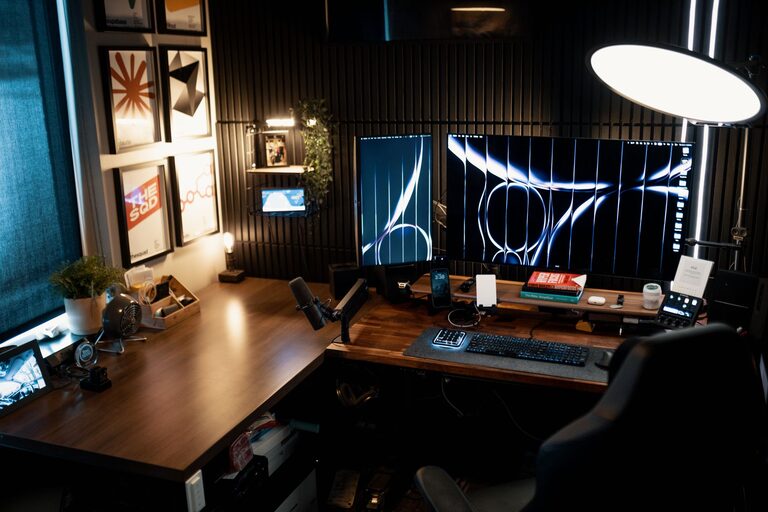
Creating a home office that feels both cozy and productive is important for anyone who works from home or spends significant time on personal projects. A well-designed workspace can improve your focus, reduce stress, and boost your overall efficiency. Here are practical tips on how to set up a home office that balances comfort and productivity, no matter the size of your space.
1. Choose the Right Location
Consider Natural Light
Opt for a spot in your home that receives plenty of natural light. Sunlight helps improve mood and energy levels, making it easier to stay alert during work hours. Position your desk near a window if possible, and use light curtains to avoid glare on your computer screen.
Minimize Distractions
Select a quiet area where interruptions are minimal. If space is limited, consider ways to separate your work area from the rest of the living space, such as using room dividers or shelving units.
2. Invest in Comfortable and Functional Furniture
Ergonomic Chair and Desk
Comfort is key to productivity. Invest in an ergonomic office chair that supports your back and promotes correct posture. Pair it with a desk at the right height for comfortable typing and writing.
Desk Size and Storage
Choose a desk large enough to hold your necessary equipment without feeling cluttered. Built-in storage or nearby shelves can help keep your desk clear and organized.
3. Organize Your Space Efficiently
Declutter Regularly
A tidy workspace promotes focus and reduces stress. Keep only essential items on your desk and store everything else neatly.
Use Organizational Tools
Consider drawer organizers, cable management systems, and desktop containers to keep your supplies orderly. Labeling storage boxes can also save time when searching for items.
4. Personalize Your Workspace
Add Cozy Elements
Incorporate items that make your space inviting—like a soft throw blanket, comfy cushions, or a small rug. These touches can help create warmth and comfort.
Decorate Thoughtfully
Choose art, plants, or inspirational quotes that motivate you without overwhelming the space. Plants are especially beneficial as they improve air quality and add a calming natural element.
5. Optimize Lighting
Layered Lighting
Combine natural light with ambient and task lighting. A desk lamp with adjustable brightness is useful for focused work, especially during early mornings or late evenings.
Avoid Harsh Lighting
Skip fluorescent bulbs and opt for warm LED lights that are easier on the eyes, reducing fatigue throughout the day.
6. Set Boundaries Between Work and Home Life
Define Office Hours
Even at home, setting clear work hours helps maintain a healthy balance. Use reminders or alarms to signal the start and end of your day.
Create a Ritual to Start and End Your Workday
Establish habits like tidying your desk before leaving your workspace or closing a door to mentally switch between work and relaxation time.
7. Incorporate Technology Wisely
Reliable Equipment
Use quality hardware such as a good computer, headphones, and a fast internet connection to reduce technical frustrations.
Minimize Distractions
Turn off non-essential notifications and use apps that block distracting websites during work hours to keep your focus sharp.
8. Maintain Comfort Throughout the Year
Temperature Control
Ensure your workspace is well ventilated and consider a fan, heater, or humidifier to keep your environment comfortable regardless of the weather.
Comfortable Clothing
Keep cozy clothes or layers handy so you can adjust your comfort without sacrificing professionalism during video calls.
Final Thoughts
Designing a cozy and productive home office is about finding a balance that works for you. Pay attention to elements like lighting, furniture, organization, and personal touches that help you feel motivated and comfortable. With a thoughtful setup, your home office can become a space where focus and creativity thrive.
Take your time experimenting with different layouts and items, and remember that small changes can make a big difference in your workday experience. Happy decorating!